 11
11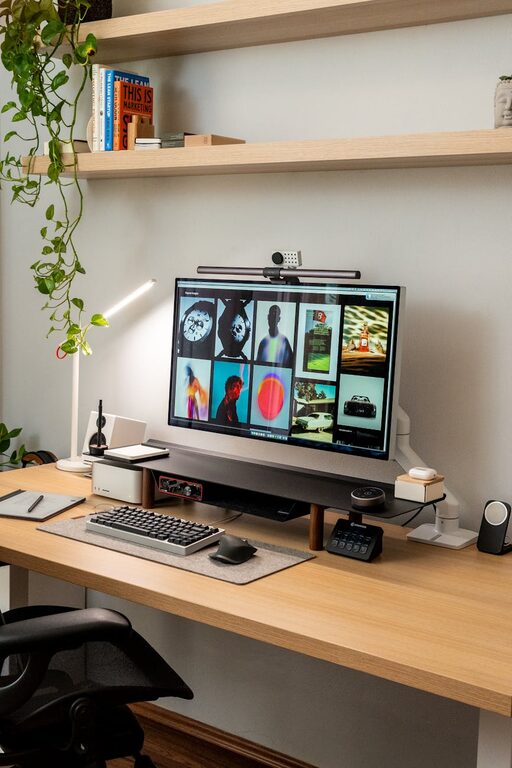
Creating a workspace at home that is both cozy and productive can make a significant difference in your focus and overall work satisfaction. Whether you work remotely, study, or just need a dedicated spot for managing daily tasks, having a well-designed area enhances your performance and comfort. Here are practical tips to help you set up a home workspace that feels inviting and encourages productivity.
Finding the best spot is the first step in creating a home workspace. Ideally, this space should be quiet with minimal distractions.
– Natural Light: Opt for a space near a window if possible. Natural light improves mood and reduces eye strain.
– Privacy: If you live with others, pick an area that offers some privacy to keep interruptions to a minimum.
– Space: Ensure there is enough room for your desk and necessary equipment without feeling cramped.
Comfort is key when you spend hours at a desk.
– Ergonomic Chair: Look for a chair that supports good posture and reduces back strain.
– Proper Desk: Choose a desk with enough surface area for your computer, papers, and other essentials.
– Adjustable Setup: Consider options like a sit-stand desk to vary your position throughout the day.
An organized space can boost your focus and minimize stress.
– Declutter Regularly: Keep only the items you need on your desk.
– Use Storage Solutions: Shelves, drawers, and organizers help keep supplies tidy and within reach.
– Cable Management: Use clips or sleeves to manage cords and avoid a tangled mess.
Adding personal touches makes your workspace feel welcoming and motivates you to spend time there.
– Plants: Indoor plants improve air quality and add a soothing green element.
– Artwork: Hang calming or inspiring art that encourages creativity.
– Comfort Items: Items like a soft blanket, a cozy rug, or scented candles can make the space inviting.
Proper lighting reduces fatigue and keeps you alert.
– Desk Lamp: A good quality desk lamp with adjustable brightness can supplement natural light.
– Avoid Glare: Position screens and lights to prevent glare that causes eye strain.
– Warm Lighting: Use warmer light bulbs for a cozy atmosphere during evening hours.
Setting boundaries ensures you maintain focus during work hours.
– Noise Control: Use noise-canceling headphones or play soft background music if needed.
– Clear Signals: If living with others, use signs or signals to indicate when you shouldn’t be disturbed.
– Limit Technology Distractors: Turn off unnecessary notifications and keep non-work devices out of sight.
A consistent routine helps train your mind to be productive.
– Designate Work Hours: Stick to specific times and take regular breaks.
– Start with a Ritual: Begin your day with a simple habit like making coffee or stretching.
– End-of-Day Ritual: Clear your desk to signal that work time is over.
Make your technology work for you, not against you.
– Reliable Equipment: Ensure your computer, internet, and accessories are dependable.
– Productivity Tools: Use apps or software for task management, note-taking, or time tracking.
– Backup Plans: Keep spare chargers or external drives in your workspace for emergencies.
A fresh and cozy atmosphere impacts your well-being and concentration.
– Ventilation: Open windows when possible to circulate fresh air.
– Air Purifiers: Consider an air purifier if dust or allergens are an issue.
– Temperature Control: Use fans, heaters, or humidifiers to maintain a comfortable room temperature.
Designing a cozy and productive workspace at home takes some planning, but it’s worth the effort. A well-organized, comfortable space tailored to your needs can improve your focus, efficiency, and overall enjoyment of your work or study time. Start with small changes and gradually build a workspace that inspires you every day.